
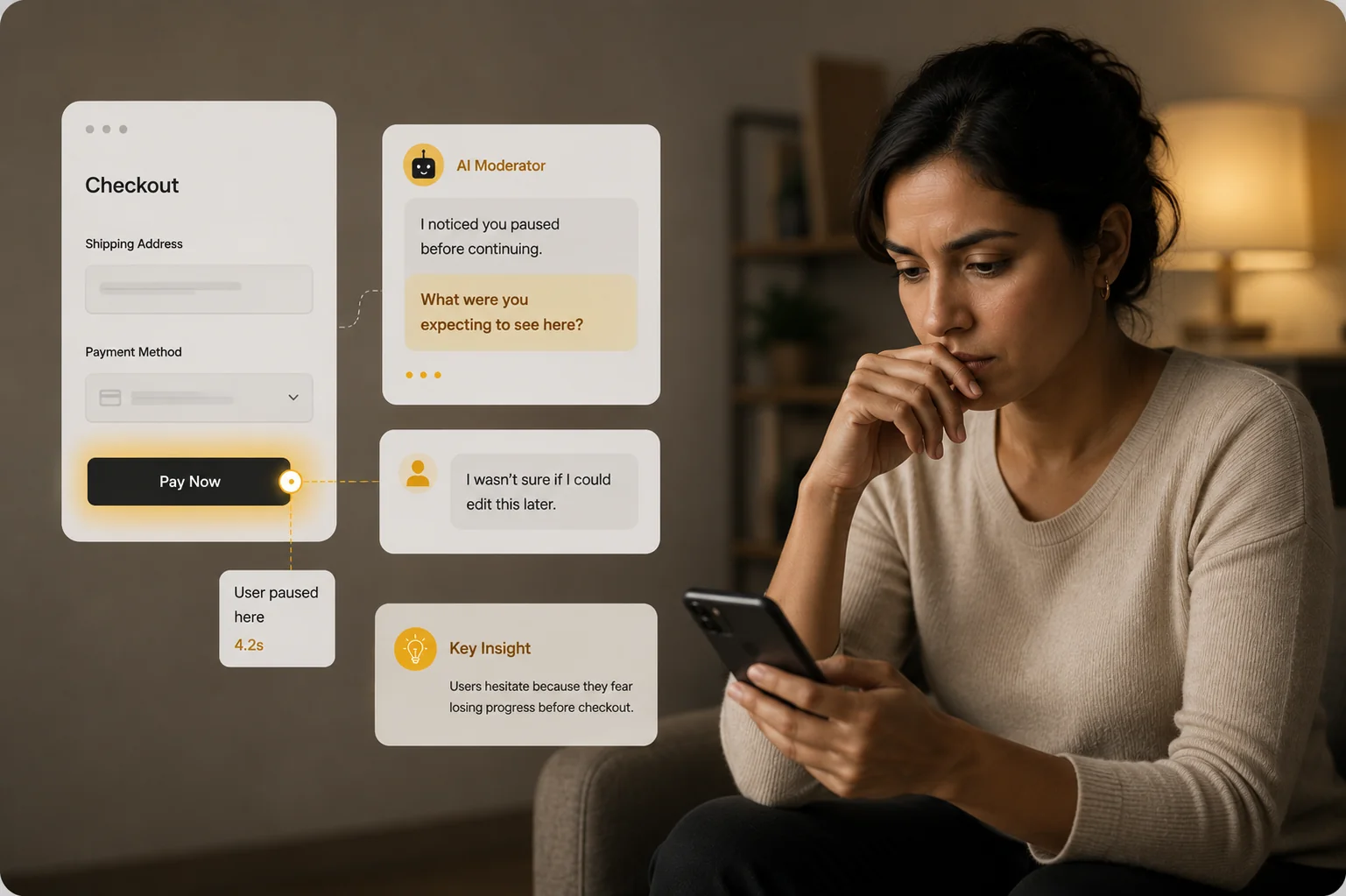
Find out why users hesitate — not just where they click.
Click maps tell you a button got missed. They don't tell you why. Alchemic runs your prototype with an AI moderator that watches every interaction and asks the right follow-up the moment a user hesitates, mis-clicks, or backs out — in their own words, on WhatsApp, web, or phone.
Trusted by brand and insights teams at








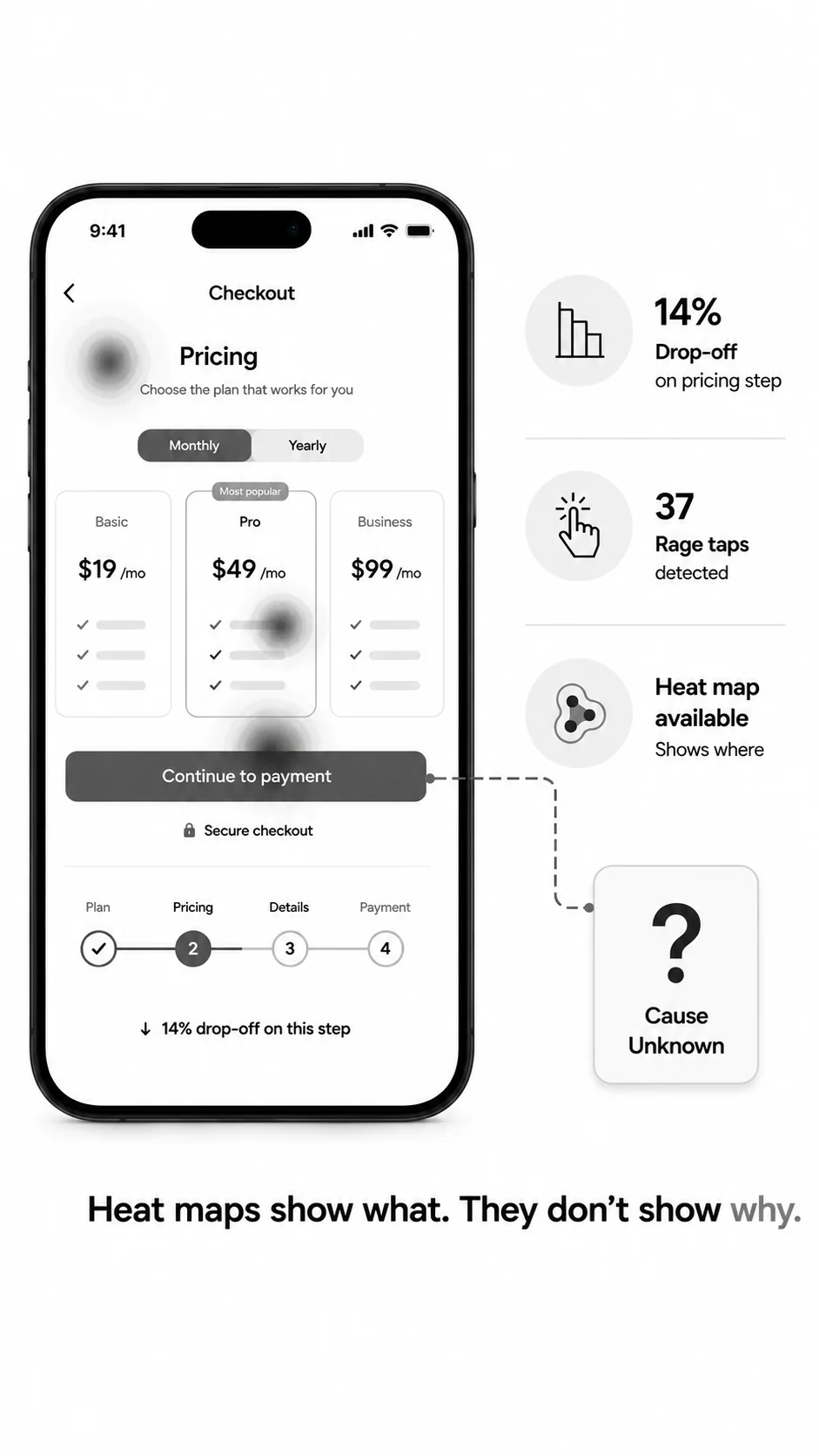
Heat maps show what. They don't show why.
Every product team has the same drawer of UX research: a deck of heat maps, a misclick percentage, a 14% drop on the pricing step. You can see the wound. You can't see the cause. So the next sprint is a guess — change the copy, move the CTA, add a tooltip — and three weeks later you re-test and the number barely moves.
The legacy fix is to bolt a UserTesting subscription on top of the click test, schedule moderated sessions, wait a week, and watch eight hours of video. Most teams don't have the budget, the time, or the patience. So the why never gets asked. Decisions get made on instinct, and the same dropoff shows up in the next release.
Alchemic closes the loop in one study.
[ how it works ]
Three things that work together — in one session.
High-fidelity prototypes, not just screenshots.
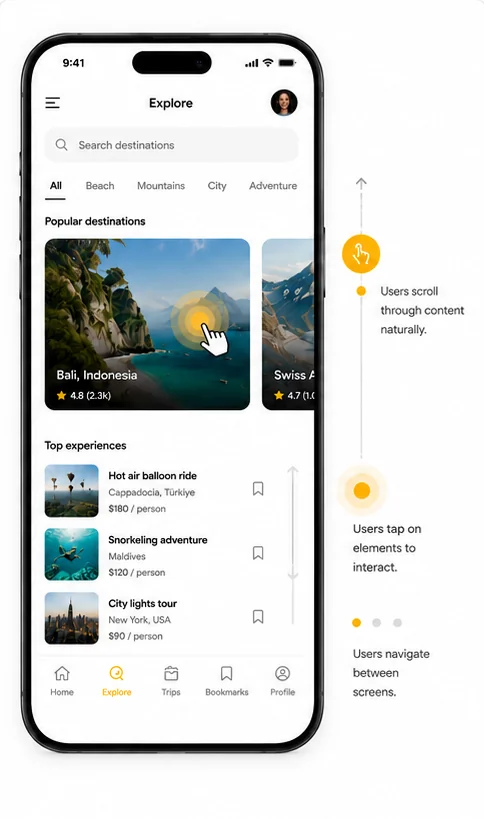
Import your live Figma file, paste a coded prototype URL, or upload screen flows — Alchemic runs the real interactive thing, not a static image. Users tap, scroll, type, and navigate exactly as they would in the shipped product. Every interaction is captured at the gesture level: which element was touched, in what order, how long they paused, where they reversed course. The fidelity matches the decision you're about to make.
AI moderation that asks why, in the moment.
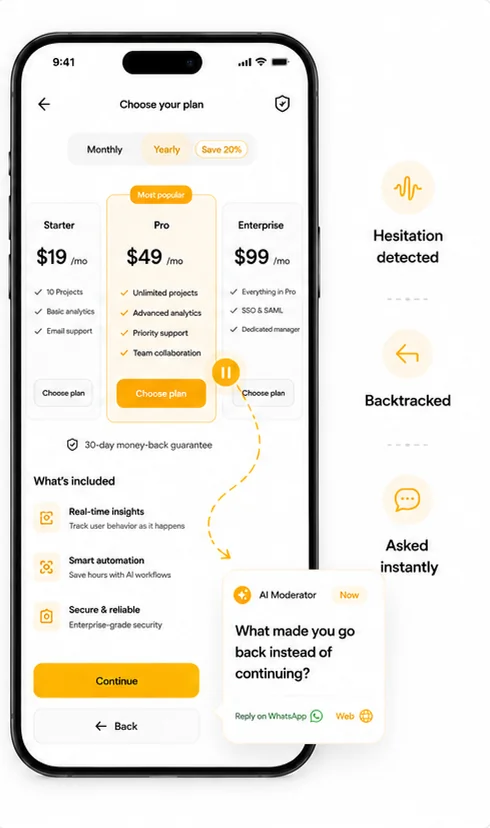
The AI watches the session live. When a user hovers four seconds on the pricing card, when they tap “Continue” and then immediately back out, when they scroll past the feature they were supposed to read — the AI asks about it right then, in their language, on WhatsApp, web, or phone. Not a generic survey after the fact. A specific question about the specific moment of friction, while the memory is still warm.
A synthesis report, not a data dump.
You don't get a folder of heat maps and 47 video clips. You get a written diagnosis: which screens failed, what users said in their own words about why, which fixes the data points toward, and the verbatims to back every claim. Each finding is cited to the timestamp on the prototype and the respondent who said it. Days, not weeks. Ready to brief design.
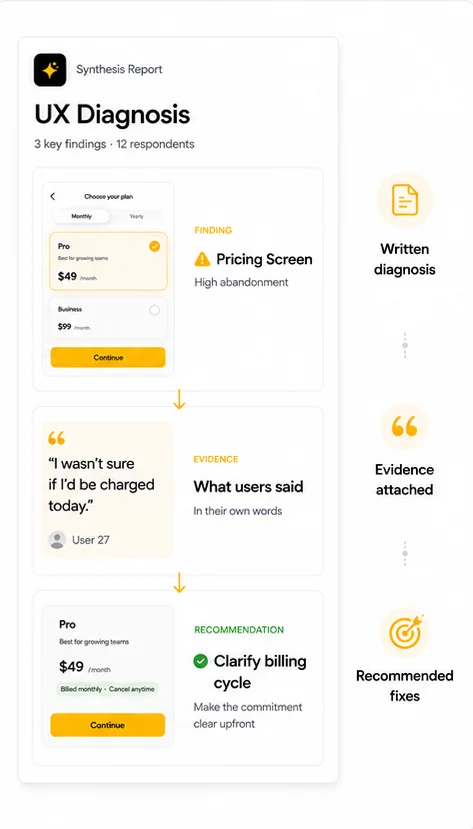
[ the process ]
From brief to diagnosis in three steps.
Step 1
Upload your prototype.
Drop in a Figma link, a coded prototype URL, or static screens. Define the tasks you want users to attempt and the questions you want answered. Goes live in under an hour.
Step 2
Users test it; AI moderates live.
Respondents open the prototype on their phone, laptop, or via WhatsApp. They complete the tasks. The AI watches every click and hesitation and asks targeted follow-ups the moment friction appears.
Step 3
Get a diagnosis, not a dashboard.
Within days you get a written report with cited verbatims, click paths, friction points ranked by severity, and concrete recommendations. Every claim links back to the moment in the prototype it came from.
[ why alchemic ]
What makes this different.
Click-tracking AND conversation, in one session.
Maze gives you the click data. UserTesting gives you the conversation. We do both — the AI watches the prototype interaction and asks the qualitative follow-up in the same session, on the same respondent. No second tool, no second study, no second invoice.
The AI asks "why" the moment it matters.
Other AI moderators run a script before or after the prototype test. Ours runs during it. When the user pauses, mis-clicks, or backs out, the question lands while the moment is still fresh — not 20 minutes later when memory has decayed into rationalisation.
Multi-channel reach — your users where they are.
Run the test in-app, on a web link, or over WhatsApp voice. In India and most emerging markets, asking a Tier-2 user to download a desktop screen recorder kills your sample. We meet them on the channel they already use, in the language they actually speak.
Days to insight, not weeks.
Recruitment, fielding, AI moderation, and synthesis all happen on one platform. A 30-respondent prototype study turns around in days. Compare to two weeks of UserTesting scheduling plus a week of analyst time on the back end.
[ use cases ]
What teams test.
Onboarding flow diagnosis
Find the exact screen where new users stall and the exact reason they stall there.
Why did you skip the account-linking step in our onboarding?
Pricing-page redesign validation
Test two pricing layouts against each other with real users, not just A/B click data.
Which plan would you pick, and what made the other two feel wrong?
Checkout abandonment investigation
Watch users try to buy, hear what stops them, and rank the fixes by severity.
You paused on the address step for 12 seconds — what were you thinking?
Feature-launch readiness
Run a high-fidelity prototype of a new feature past 40 target users before engineering writes a line.
Walk me through what you’d do here if this were the real app.
Frequently asked
About this product
What prototype formats do you support?
Figma (live link or exported flow), coded prototypes hosted on any URL, Framer, Webflow, and static screen sequences. If a user can open it in a browser or app, the AI can run a test on it.
How does the AI know when to ask a follow-up?
The AI watches for behavioural signals — long pauses, mis-clicks, back-navigations, scroll reversals, abandoned tasks — and combines those with the participant’s verbal responses to decide when and what to probe. The probing logic is tuned per study to your specific tasks and hypotheses.
Can the AI moderate in Indian languages?
Yes — Hindi, Tamil, Telugu, Kannada, Bengali, Marathi, Gujarati, and more, including code-mixed Hinglish. Voice notes are preserved and transcribed; the AI moderates natively in the respondent’s language, not translated mid-stream.
How many respondents do I need for a UI/UX study?
For directional UX diagnosis, 8–15 respondents per persona is usually enough. For statistical confidence on a quantitative metric like task success rate, 30–50 per variant. The platform handles either.
How does the output differ from a Maze report?
Maze gives you heat maps, misclick rates, and a screen-by-screen funnel. Alchemic gives you those plus a written diagnosis with verbatims explaining the cause of each friction point and concrete recommendations, each cited to the moment it came from.
Can my design team replay individual sessions?
Yes. Every session is recorded with synced click trail and audio. Designers can pull up the exact moment a respondent hesitated on their screen and hear the AI’s follow-up question and the answer.
About UI/UX research
What is UI/UX testing?
UI/UX testing is the practice of putting a user interface — usually a prototype, wireframe, or live product — in front of real users to find out where it confuses them, slows them down, or makes them give up. It covers usability tests, prototype tests, first-click tests, tree tests, and moderated interviews. The goal is to fix design problems before they ship, and to understand the reasons behind user behaviour, not just the behaviour itself.
How is qualitative UI/UX testing different from quantitative?
Quantitative measures what users do: click rates, time on task, success rates, drop-off percentages. Qualitative captures why they do it: the hesitation, the assumption, the misread label, the missing reassurance. Most teams need both. Quant tells you which screen is broken; qual tells you what to change.
When in the product cycle should I run UI/UX testing?
Earlier than most teams think. A low-fidelity wireframe test takes a day and saves weeks of engineering. A high-fidelity prototype test before development locks in the right flow. A post-launch test on the live product surfaces the friction your analytics can’t explain. The rule of thumb: test before every decision that’s expensive to reverse.
How many users do I need to run a usability test?
For finding the major usability problems, 5 to 8 users per audience segment surfaces roughly 80% of the issues. For measuring a quantitative metric like task success rate with statistical confidence, you need 30 or more per variant. For deep qualitative understanding, 10 to 15 per persona is the typical range.
What’s the difference between moderated and unmoderated testing?
Moderated testing has a human (or AI) in the session asking questions and probing reactions in real time. Unmoderated testing sends the user a link and a task list and records what they do. Moderated gets deeper insight; unmoderated scales faster and costs less. AI-moderated testing combines both — depth at scale.
Can UI/UX testing work for mobile apps and not just websites?
Yes. Modern testing platforms support iOS and Android apps, mobile web, tablet, and desktop. The respondent installs the build or opens a link, completes the tasks on their own device, and the platform captures the interactions. For emerging markets, testing on the user’s actual phone over their actual network is essential.
How do I know if my UI/UX problem is a usability issue or a positioning issue?
Usability issues show up as confusion inside a flow — users can’t find the button, don’t understand the label, abandon the task. Positioning issues show up before the flow starts — users open the screen, can’t tell what the product is for, and leave. A good qualitative UX test will surface both. If users complete the task but say “I wouldn’t actually use this,” you have a positioning problem dressed as a UX problem.
How long does a UI/UX testing project usually take?
On legacy panel-research platforms, a moderated study takes two to four weeks. On self-serve unmoderated platforms, a click-test can run in two to three days but produces shallow output. AI-moderated platforms compress the full loop — recruitment, fielding, qualitative depth, synthesis — into days.